AI Art Sketchbook: Notes, Prompts and Iterations
A sketchbook has always been a place where thinking happens before it becomes a finished piece. Pages fill with half-drawn shapes, arrows, colour tests and sentences to yourself about what is not working yet. An AI art sketchbook does the same job, with one addition: it also records the instructions you gave the machine, because those instructions are part of the drawing. Without that record, a good result becomes a happy accident you cannot repeat, and a bad result becomes a mystery you cannot solve.
The habit is simple to start. It needs a notebook, physical or digital, and a willingness to write down the boring parts as well as the exciting ones.
What an AI art sketchbook actually is
An AI art sketchbook is a working document rather than a gallery. It holds hand-drawn studies, written notes about the problem you were trying to solve, the exact wording of prompts, the images that came back, and a short verdict on each one. Dates matter more than neatness. A page that reads “tried a lower viewpoint, lost the horizon, try again with a wider crop” is more useful six months later than a flawless render with no explanation attached.
It can live anywhere. Some artists keep a paper book beside the keyboard and paste in small printouts. Others use a folder of dated images plus a plain text file for notes. The format is far less important than the fact that notes, prompts and results stay together in one place. Split them across three apps and you will stop consulting any of them.
The sections worth keeping
Most working sketchbooks settle into a handful of repeating sections. You do not need to label them formally, but knowing which one you are writing in stops the book from turning into a random pile.
Notes pages
These are for intent. Write what you were trying to find out, not just what you wanted to see. “Does a limited palette hold up at small sizes?” is a question. “Make something nice” is not. Note the time of day, the reference you were looking at, and anything you noticed in your own drawing that you want the generated version to respect. A sketchbook held in a museum collection can combine colour studies with botanical sketches, which is a useful reminder that a single book can carry artistic and observational interests side by side without resolving them into one theme.
The prompt log
Copy the wording exactly, including the parts you think are filler. Wording matters, and the phrase you delete on a whim may be the one holding the composition together. Record the order of the phrases too, because moving a lighting instruction from the start to the end can shift the result. If you add a reference image, note which one. If you change a setting, write it down next to the image it produced.
The iteration grid
This is the heart of the book. Take one idea and run it several times, changing a single element each pass. Keep every version, including the failures, in date order. Beside each one write two or three words: “muddy”, “better edges”, “lost contrast”. Over a few weeks these short verdicts become a personal dictionary of what your tools do well and where they drift.
The reference shelf
Keep a section for source material: pencil sketches, photographs, colour swatches, cropped details of texture. A simple, minimalistic pencil study of a landscape can capture the essence of a scene without intricate detail, and that kind of reference gives a generator a clearer job to do than a busy photograph ever will. When a prompt works, note which reference sat beside it.
Writing prompts you can recycle
Prompts are easier to reuse when they follow a fixed order. Pick a structure and keep it for months rather than weeks, so that differences between results point to differences in content rather than differences in phrasing.
- Subject: what is in the frame, described plainly.
- Medium and surface: pencil, ink wash, gouache, digital paint, print texture.
- Light: direction, quality, time of day in general terms.
- Composition: viewpoint, crop, horizon placement, amount of empty space.
- Palette: three or four named colours, or a description such as muted and warm.
- Texture and mark making: grain, hatching, visible brush edges, paper tooth.
- Exclusions: what must not appear, such as text, borders or heavy glare.
Write the template once at the front of the book and fill it in each session. When a result disappoints, you can then ask a precise question. Was the failure in the medium words, the light words, or the composition words? That question is very hard to answer if every prompt has been improvised from scratch.
From paper sketch to generated image
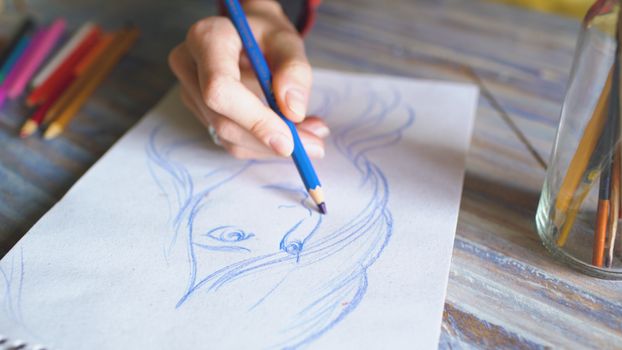
The sketchbook link between hand and machine is now a practical workflow rather than an experiment. NewArc.ai describes its sketch to image generator as turning a drawing into a realistic photo or a 3D render in seconds, and it is aimed at moving from simple sketches on paper towards finished renders. Canva’s sketch and draw feature is presented as a free AI app that turns drawings into realistic AI photos. Both approaches start with the same asset: a rough, imperfect mark that carries your decision about shape and placement.
That is where the sketchbook earns its keep. If a rough thumbnail sits on the page with notes about the angle and the light, you can feed the drawing into a tool and judge the output against a stated intention. Without those notes, you are only judging whether you like the picture, which is a far weaker test. Record which tool you used for each result, and check the current terms and any trial limits with the provider before you commit to a long project.
Colour studies and value checks
Not every page needs to move forward into a finished image. Some of the most useful pages are diagnostic. Photo to sketch converters, such as the one Monica offers with a free trial and a range of sketch styles, can flatten a reference into line so you can study structure without being distracted by surface detail. Run the same photograph through a few styles and compare the pages. Note which style revealed the value pattern and which one hid it. Those notes will save you time the next time a piece feels flat and you cannot immediately say why.
The reverse direction is just as useful. A popular sketchbook-style effect turns an ordinary photograph into a hand-drawn illustration, which makes it a quick way to test whether a composition survives without colour and contrast doing the work. Paste the output in the book, write down what disappeared, and adjust the underlying drawing rather than the prompt.
Iterating without losing the thread
Iteration is where sketchbooks usually break down. Files multiply, names become meaningless, and after an hour you cannot remember which version had the better sky. A few small rules prevent that.
- Change one thing at a time and say what it was in the file name or caption.
- Date every entry, even approximately, so you can see how your judgement has moved.
- Keep the discarded versions. The one you rejected often explains the one you kept.
- Write the verdict while you remember it, not the following week.
- Note the tool and any reference image used, because you will not recall either later.
Browsing collections of sketchbook-tagged images on platforms such as Deep Dream Generator can be a good way to refresh your eye, but treat it as research rather than production. Notice what draws you in, write the reason in one line, and return to your own page. The book should stay yours.
A routine that keeps the book alive
Short, regular sessions beat long, rare ones. Set aside a single sitting each week for four or five iterations of one idea, plus a few minutes at the end to write the verdicts. Add sketches during the week whenever a shape occurs to you. Once a month, read back through the last four sessions and pull out the phrases that keep appearing in your notes, because those are your working preferences forming.
Keep a page near the front for standing questions, the ones you return to again and again. They give the book direction and stop it becoming a scrapbook of unrelated pictures.
Mistakes that flatten the habit
- Saving only the final image, which throws away the reasoning.
- Reconstructing prompts from memory, which is almost always inaccurate.
- Recording settings but no intention, so results cannot be evaluated.
- Treating the book as a portfolio, which makes you hide the failures.
- Starting a new book for every project instead of continuing one thread.
None of these are fatal, and all of them are easy to correct on the next page. The point of the book is not to be impressive. It is to make your next attempt faster, clearer and more deliberate than the last.
Frequently Asked Questions
Do I need a paper sketchbook for AI art?
No. A digital folder of dated images and a notes file does the same job, and it is easier to search. Paper suits artists who think through drawing and want thumbnails beside their notes. Choose whichever you will actually open each week, and keep notes, prompts and results together rather than scattered across separate apps.
How many prompts should I record in one session?
Fewer than you might expect. Four or five careful iterations of one idea, each with a written verdict, will teach you more than thirty rushed attempts. If a session produces nothing worth keeping, record why. That note is often the most valuable thing on the page, because it stops you repeating the same dead end next week.
Should I keep generations that failed?
Yes, at least for a while. Failures show which wording pulled the image off course and which references confused it. They also reveal your changing taste, since a result you disliked six months ago may now look promising. Store them in date order beside the successes and give each one a short note explaining the verdict.
Can I use a sketchbook-style filter instead of generating from scratch?
You can, and it is a fast way to test a composition. Turning a photograph into a hand-drawn illustration strips away some of the surface information and shows whether the structure holds up. Treat the result as a study rather than a finished piece, and record what the filter removed so you can rebuild it deliberately in your own work.