Digital Art Techniques That Work Well With AI Tools
Digital art covers far more ground than most people assume. As Coursera’s overview of the subject explains, artists can work across digital photography, artificial intelligence, augmented reality and other mediums, often mixing several in a single project. AI is simply one more option in that toolkit, not a replacement for the craft skills underneath it. The techniques that hold up best are the ones that translate neatly into a prompt, a reference set or a finishing pass in your painting software. Layer discipline, brush control, colour theory, lighting, shading, texturing and character design all remain useful when a machine is generating part of the image, and each one gives you a clearer way to direct the result.
Why technique still shapes AI-assisted work
An AI tool responds to whatever direction it receives, and vague direction produces vague images. When you understand composition, colour and light, you can describe what you want with precision and then correct the output once it arrives. That correction step is where most of the quality lives. Beginner guides to digital painting tend to follow a similar order: choosing the right tools, understanding layers and brushes, mastering basic techniques, then working with colour and composition. That order still makes sense when AI is part of the process, because each stage gives you a checkpoint to judge the generated material against.
AI output also has a recognisable flatness in some areas, particularly edges, texture and small structural details. An artist with solid technique can spot those weaknesses and fix them by hand. Someone without that grounding tends to accept whatever appears on screen, which is why the same tools produce such different results for different people.
Layer management and brush work
Layers and brushes are the two foundations that beginner resources introduce first, and both become more valuable rather than less when AI enters the workflow.
Layer management as a workflow tool
Layer structure is what allows you to revise one element without disturbing the rest. A practical setup separates the base drawing, flat colour, shading, highlights and texture onto different layers, so each can be adjusted, masked or blended independently. Learning guides describe a progression from basic layer work towards complex layer management and detailed texturing, and that progression matters more in AI-assisted pieces because you often need to isolate part of a generated image and rebuild it. Separating generated elements onto their own layers lets you repaint a hand, adjust a shadow or replace a background without starting again.
Brush technique and mark-making
Brush choice controls edge quality, and edge quality is one of the clearest signals that a person finished the image. Hard brushes give crisp boundaries for form and detail, softer brushes blend transitions, and textured brushes break up surfaces that look too smooth. Brush techniques appear consistently in digital painting guides for a reason: a small, deliberate vocabulary of marks is often enough to unify a piece where generated and hand-painted areas meet. Keep a short set of brushes you know well and use them consistently across the whole image.
Colour theory and composition
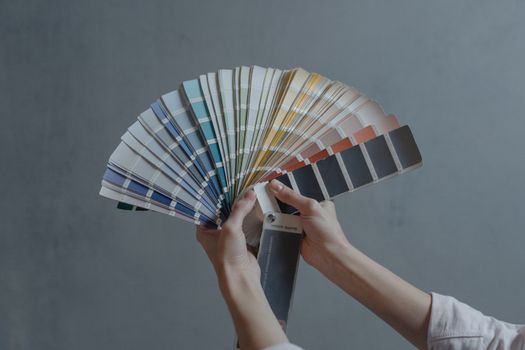
Colour and composition are the areas where AI tools are most useful as a starting point and least useful as a final answer. A generated image might present an appealing palette that does not hold together across a series, or a composition with a strong centre and a muddled background. Colour theory gives you the vocabulary to diagnose that, whether you are working with a limited palette, a complementary scheme or a tonal range that keeps the eye moving. Composition decisions about framing, scale and where the viewer looks first are just as important, and they are much easier to fix before rendering detail than afterwards.
Composition also affects how much you can get away with when combining sources. A wide, simple background accepts generated elements more easily than a crowded interior, and a strong foreground silhouette hides joins that would otherwise be obvious.
Lighting and shading
Lighting and shading sit at the centre of most structured digital art teaching, alongside colour theory and character design. They are also the techniques that most reliably rescue AI-generated material. Generated images often contain light sources that contradict each other, shadows that fall in inconsistent directions, or highlights that sit flat against a surface rather than describing its form. Shading is a skill of reading form: deciding where the light comes from, how surfaces turn away from it, and where reflected light softens the shadow side.
A useful habit is to establish the light direction before anything else, then check every generated element against it. Repainting shadows and highlights by hand is often quicker than generating repeatedly in the hope of a consistent result, and it gives the image a coherence that reads as intentional.
Texturing and photo manipulation
Advanced digital art guidance commonly covers photo manipulation and detailed texturing, and both pair naturally with generated imagery. Texturing is about breaking up surfaces so they feel material rather than plastic, using grain, noise, brush marks and overlay passes. Photo manipulation is about combining sources into a single believable scene, which is essentially what an AI-assisted workflow involves once you start compositing generated output with painted elements or photographic references.
Keep texture passes on their own layer or group so you can dial the strength up and down. A light touch usually works better than a heavy one, particularly where generated areas already carry a lot of detail.
Character design
Character design appears alongside brush technique, colour theory and lighting in established technique guides, and it benefits from AI as a way to explore variations rather than as a way to finish. Generating a spread of silhouettes, poses or costume ideas can move a stalled design forward, but the decisions about proportion, readability and consistency across poses still come from the artist. Working from a fixed set of reference points for each character keeps those variations from drifting.
A working order for AI-assisted pieces
Digital painting tutorials tend to describe step-by-step processes because sequence reduces guesswork. That approach works well here too, with AI folded into specific stages rather than used as one undifferentiated action.
- Define the brief in writing: subject, mood, palette direction, format and the light source.
- Gather references and rough in a composition, even a loose one, before generating anything.
- Decide which parts AI handles and which you will paint yourself, then generate for the first group only.
- Bring generated elements into a layered file and isolate each on its own layer.
- Run a colour pass that unifies the palette across generated and painted areas.
- Correct lighting and shading so every element agrees on direction and intensity.
- Add texture and small detail by hand to break up any over-smooth surfaces.
- Review at reduced size to check composition and value before exporting.
Learning these techniques in a useful order
If you are new to digital painting, the sensible starting point is tools, layers and brushes, followed by basic techniques, then colour and composition. Each stage improves your ability to judge AI output, which is the real skill in an AI-assisted workflow. Tutorials that walk through a process step by step are more valuable at this stage than short videos of finished work, because seeing decisions made in sequence teaches judgement rather than just results. Advanced areas such as detailed texturing and complex layer management can wait until the basics feel automatic.
Practical experience is what turns these techniques into instinct. Paint something small each week, alternate between fully hand-painted pieces and AI-assisted ones, and compare the results. That comparison shows you exactly which skills you are relying on and which ones need more work.
Frequently Asked Questions
Do I need traditional drawing skills to use AI art tools?
You do not need to be a confident draughtsman, but basic digital painting skills make a large difference. Understanding layers, brushes, colour and shading lets you direct a tool clearly and correct what it produces. Without that grounding, it is difficult to tell which parts of an image need fixing or how to fix them.
Which digital art techniques transfer best to AI-assisted work?
Layer management and brush technique tend to transfer most directly, because both deal with separating, adjusting and finishing elements. Colour theory and lighting come next, since they govern how the whole image holds together. Texturing and photo manipulation round things off by helping you blend generated material into a coherent finished piece.
Can AI help with colour and composition decisions?
It can help you explore options quickly, especially for palette ideas or rough arrangements of a scene. It performs less well as a final judge, because a single image may look striking while sitting badly within a series. Treat generated options as proposals and apply colour theory and composition judgement yourself before committing.
How do I stop an AI-assisted piece looking generic?
Add hand-painted passes where the eye rests: edges, faces, hands and key areas of texture. Generated images often fall down on small structural detail and surface feel, and a few deliberate brush marks in those places do a lot of work. Consistent lighting across the whole image is the other major factor.
Where can I learn these digital art techniques?
Structured tutorials that walk through a full process step by step are the most useful starting point, and beginner guides to digital painting are a sensible entry level. Work through the same subject several times rather than jumping between tutorials. Practice pieces, even small ones, teach judgement faster than watching finished results.