AI Art Post-Processing: From Good to Great
An AI generator can turn a short sentence into a striking image in seconds, and that speed makes the upload button feel irresistible. The results still carry the fingerprints of the process: soft edges, drifting colour, a stray object that pulls the eye away from the subject, detail that dissolves the moment you zoom in. Post-processing is the stage that closes the gap between an image that looks generated and an image that looks finished.
AI art, understood simply as visual content generated through artificial intelligence, is a separate category from generative art as a whole, and it comes with its own set of editing habits. Advice shared in Midjourney communities is refreshingly blunt on the subject: do not post your AI artworks straight from Midjourney or any other generator, do some work on them first. That work is what separates a lucky prompt from a portfolio piece.
The Difference Between Generating and Finishing
Generation is inference. A model reads your text prompt, works through its learned patterns and returns a file. Everything after that moment falls under the heading of post-processing, and there are two broad families of it. Traditional post-processing techniques are frequently used post-inference, borrowing directly from the photographic tradition. On top of that sits a newer set of AI-specific corrections that only make sense for generated images.
Almost all photographers apply some amount of post-processing, editing and manipulating an image after it has been captured. The same logic applies to a generated frame. The capture step has simply been replaced by a prompt, and the file that lands on your drive is the equivalent of an unedited negative.
Two Families of AI Art Post-Processing
The two approaches are not rivals. They solve different problems, and most finished pieces use both.
| Approach | What it does | Typical use |
|---|---|---|
| Traditional post-processing | Adjusts tone, colour, contrast, grain, blur and sharpening on an existing file | Polishing a near-final image, the same editing photographers apply after a shot is taken |
| Inpainting | Repairs artefacts inside the existing frame | Fixing a distorted hand, a strange eye, a smudged edge or an unwanted prop |
| Outpainting | Extends the frame beyond its original boundaries | Reframing a composition, adding breathing room, changing an aspect ratio |
| ControlNet-guided re-generation | Re-runs generation under structural guidance to improve detail | Lifting an image while keeping the underlying shape and pose intact |
Generation-specific post-processing therefore covers inpainting to repair artefacts, outpainting to extend frames, and ControlNet-guided re-generation to improve a result without losing the arrangement you liked in the first place.
Why Raw Generator Output Rarely Stands Alone
A model does not know your intent. It has no idea which part of the composition matters to you, which highlight you wanted to keep, or that the small blurred shape in the corner reads as a mistake rather than a texture. It cannot tell whether a hand should have five fingers or whether a horizon should be level.
The artefacts that appear most often are the ones that survive the generation step unnoticed. They sit in the periphery, in soft gradients, in the join between foreground and background. This is precisely why inpainting exists as a repair tool rather than a creative one. Before any stylistic decision is made, the image needs an honest review at full magnification, ideally on a decent screen rather than a phone.
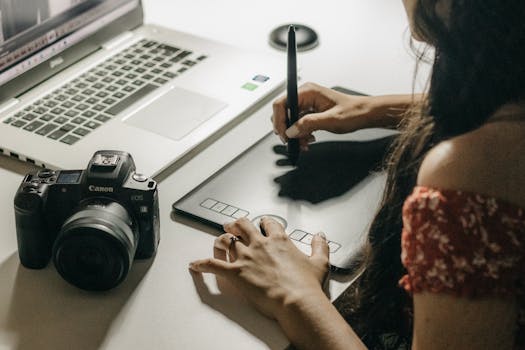
A Practical Post-Processing Workflow
The habit worth building is a fixed order of operations. Working in the same sequence every time means fewer forgotten steps and far less backtracking.
Start With a Copy and an Assessment Pass
Duplicate the file before you touch a single slider. Keeping the original generator output untouched gives you a reference point and a safe place to return to when a treatment goes wrong. Then study the image at 100 percent and at full-frame size, listing what actually needs fixing. Separate the list into repairs and enhancements. Repairs come first because they change the image itself, while enhancements only change how it reads.
Repair Artefacts Before You Style Anything
Inpainting handles the majority of repairs. Trace the problem area, describe what should be there instead, and let the model rebuild that patch while the rest of the frame stays exactly as it was. Resist the urge to mask half the image in one pass. Small, surgical repairs are easier to judge, and a repair that fails can simply be undone and retried with a tighter mask. Once the anatomy, edges and stray objects are clean, the image is ready for the parts that are more fun.
Set Tone, Colour and Light
This is the traditional photographic layer of the process: exposure, contrast, white balance and colour grading. Generated images often arrive with a flat tonal range or a colour cast that seemed flattering before you looked properly. Aim for a clear focal point and a deliberate mood rather than maximum punch. A good test is to view the edit at thumbnail size. If the subject still reads instantly, the tonal structure is doing its job.
Add Texture, Grain and Blur With Restraint
Texture is where AI art post-processing gets interesting, because it changes the perceived medium of the image. A fine layer of grain can soften the digital smoothness that gives generated work away. A touch of blur can create depth of field that the generator did not provide. Both effects are easy to overdo, and heavy grain applied over unresolved artefacts tends to look like a cover-up rather than a finish. Build texture in small increments and step back between passes.
Sharpen Last, Then Export Deliberately
Sharpening belongs near the end of the chain, after tone and texture are settled, because it amplifies whatever is already there, including noise. Apply it at the output size you need rather than sharpening and then resizing. Export versions for their destinations: a large file for print, a compressed file for web, and a square crop for social, each produced from the edited master rather than from one another.
Three Treatments That Lift a Good Image Into a Great One
Different problems call for different interventions. Three treatments come up repeatedly in AI and Photoshop workflows, and each targets a distinct weakness.
- Removing distractions. Small objects, odd background shapes and duplicated details compete with the subject. Removing them is a repair job, not a creative one, and it usually takes less time than the audience would imagine.
- Enhancing skies. Skies are a common weak point in generated images, often flat, banded or blank. Reworking them adds atmosphere and gives the light in the scene a believable source.
- Adding fine art texture. A subtle paper, canvas or paint layer shifts the piece from digital render towards printed artwork, which matters when an image is destined for a print store or a physical frame.
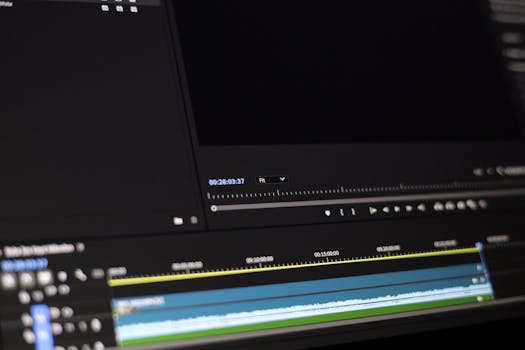
When Post-Processing Becomes Model Training
There is a point on the spectrum where editing stops being editing. People can train their own models, which means the correction happens before generation rather than after it. A custom model can be tuned towards a particular palette, subject or finish, and every image it produces arrives closer to the intended look.
That route demands more patience than slider work and a willingness to gather and prepare a coherent set of reference images. For artists producing a consistent body of work, though, the effort pays back over dozens of pieces, because the post-processing burden on each individual image drops considerably.
Where the Tools Sit
Some of the heavy lifting can be handled by dedicated endpoints rather than manual editing. A post-processing endpoint can enhance images using a variety of techniques including grain, blur, sharpen and more, which makes it useful for batch work or for applying a consistent finish across a series. Traditional editing software still has a place alongside it, particularly for the selective, judgement-heavy changes that no automated pass can guess at.
The practical arrangement is a hybrid. Automated passes handle the repeatable treatments, and manual editing handles the decisions that depend on your taste. The workflow that always works is the one you can repeat on a deadline without losing quality.
The Wider Debate Around Post-AI Art
Post-processing sits inside a larger conversation about what AI means for art. In recent years artists have been both enthusiastic adopters of AI technologies and vocal critics of the implications, and that tension is visible in discussions of what some commentators call post-AI art. Artists including Avery Singer, Simon Denny, Holly Herndon, Mat Dryhurst and Jon Rafman have discussed, with the help of a generated AI, what the future might hold.
For a working artist, the useful takeaway is narrow but solid. The edit is where intention enters the process. Choosing what to repair, what to keep and what to leave slightly imperfect is authorship in a practical sense, and it is the part of the pipeline a generator cannot do on your behalf.
Mistakes That Undo Good Work
- Editing the only copy of an image and losing the original generator output.
- Sharpening early, then adjusting tone afterwards and re-sharpening on top.
- Masking large areas for inpainting and losing the composition you liked.
- Applying heavy grain to disguise artefacts instead of repairing them.
- Skipping the assessment pass and fixing problems you only notice after publishing.
- Posting directly from the generator and calling the raw output finished.
Frequently Asked Questions
Why should I not post AI artworks straight from Midjourney?
Raw generator output usually contains artefacts, weak edges or tonal problems that are obvious once the image is seen at full size. Advice within Midjourney communities is to do some work on the file before sharing it. A short post-processing pass removes distraction and gives the image a deliberate finish rather than the default look of the model.
What is the difference between inpainting and outpainting?
Inpainting repairs or replaces content inside the existing frame, which makes it the right tool for fixing distorted details or removing unwanted objects. Outpainting extends the image beyond its original boundaries, adding new content around the edges. Inpainting corrects what is already there, while outpainting grows the canvas and changes the framing.
Can I train my own model instead of editing afterwards?
Yes. People can train their own models, which moves the correction earlier in the process so generated images arrive closer to your intended style. It takes more preparation than post-processing because it depends on a coherent set of reference images. For artists producing a consistent series, it can reduce the editing needed on each individual piece.
Does post-processing make an AI image less artificial?
It changes how the image reads rather than what it is. Grain, texture and tonal grading move a piece towards the look of printed or photographic work, which is why fine art texture is a common treatment for images heading to print. The underlying generation method stays the same, but the finish becomes a deliberate choice rather than a default.
Can you legally sell AI-generated art?
Rules differ between jurisdictions and between sales platforms, and they change over time. There is no single answer that applies everywhere, so check the current terms of the marketplace you intend to use and the relevant guidance for your own country before listing anything. Treat this as something to verify with official sources rather than assume.
Building a repeatable post-processing routine takes a few sessions to settle, and the payoff is a body of work that looks intentional from thumbnail to print. Start with repairs, finish with texture and sharpening, and keep the original file safe so every decision stays reversible.