Best AI Art Tools: A UK Artist’s First Shortlist
The first AI image tool you settle on tends to shape your habits more than you expect. It decides the kind of prompts you learn to write, the look you start recognising as your own, and how quickly you get bored. Pick badly and you spend a fortnight fighting an interface. Pick well and you are making work you want to show people within a week.
This shortlist is drawn from published roundups rather than a lab test, so treat it as a map of who does what rather than a league table. Where a claim about a tool comes from a reviewer, I have said so. Where the pack of research behind this piece is silent, I have left the detail out and pointed you at the official pages instead of guessing.
Sort the tools by what you want to make, not by rank
Most roundups pick a single strength per tool, and that sorting is far more useful than a numbered list. A 2026 test names Google’s Nano Banana Pro and Adobe Firefly as the picks for commercial-safe images, with Leonardo AI chosen for fantasy art and Canva flagged for straightforward image generation. A separate 2025 roundup puts Stable Diffusion at the top overall, Canva ahead for social media and marketing graphics, and DALL-E 3 first for photorealism. An earlier test from 2023 grouped Midjourney, Bing and others by image quality, value and editing tools.
Read those lists sideways rather than top to bottom. The tool that suits a painter building a portfolio is rarely the tool that suits someone producing posts for a shop. Settle what you want from your first month before you compare anything else, because almost every generator can produce a striking image once. The differences show up on the third week, when you need consistency.
The shortlist at a glance
|
Tool |
What reviewers single it out for |
Worth a look if |
|---|---|---|
|
Adobe Firefly |
Commercial-safe images |
You intend to sell or license the output |
|
Nano Banana Pro (Google) |
Named alongside Firefly for commercial-safe images |
You already work inside Google’s tools |
|
Midjourney |
Included in best-generator roundups since 2023 |
You want a distinctive, artistic look |
|
DALL-E 3 |
Photorealism |
You want believable, photographic results |
|
Stable Diffusion |
Best overall in one 2025 roundup |
You enjoy adjusting settings and tinkering |
|
Leonardo AI |
Fantasy art |
Your subjects are imagined worlds and characters |
|
Canva |
Social media and marketing graphics |
You need finished graphics quickly |
|
Runway AI |
Listed among best AI art generators in 2024 |
You want to check motion and editing features |
|
Vision FX 2.0 |
Listed among best AI art generators in 2024 |
You want a second option to compare against |
|
Gemini and ChatGPT image tools |
Accuracy and detail |
You would rather generate inside a chat window |
If the plan is to sell work
Adobe Firefly
Firefly appears in the 2024 roundup as the first entry and in the 2026 comparison as one of two tools picked for commercial-safe imagery. That label is the reason to start here if you are building towards prints, licensing or client work. It is a starting point, not a guarantee: licence terms differ between plans and change over time, so read the current terms on Adobe’s own site before you commit a piece to a shop.
Canva
Canva is the odd one out on this list because it is a design platform with image generation built in, not a dedicated art generator. The 2025 roundup names it best for social media and marketing graphics, and the 2026 comparison also flags it as a route to generating images. If your art practice sits alongside promoting yourself, that combination saves a lot of moving files between apps.
If you draw from imagination
Midjourney
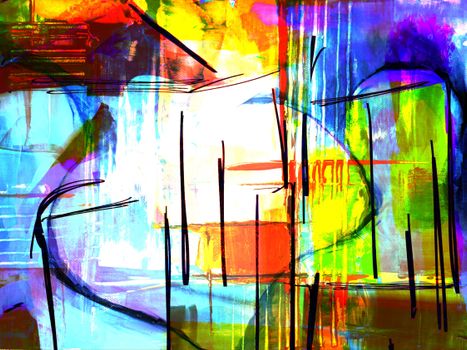
Midjourney has been in these roundups since the 2023 test that grouped it with Bing and others on image quality, value and editing tools. It keeps appearing because the output has a recognisable character that a lot of artists want. That character is also the risk. Work that looks like everyone else’s is hard to sell, so plan early for how you will push past the default look.
Leonardo AI
The 2026 comparison names Leonardo AI as the pick for fantasy art. If your sketchbook is full of imagined creatures, invented cities or scenes that cannot be photographed, this is a sensible first stop. Try it on a subject you already know how to draw badly and well, so you can judge whether it is helping your ideas or replacing them.
If you want realism and fine detail
DALL-E 3
The 2025 roundup puts DALL-E 3 first for photorealism. Photoreal output is useful for reference, mock-ups and composite work, and it is also where AI images are most likely to be mistaken for photographs. Keep a note of which images were generated and where they went, because that record matters if a buyer asks.
Gemini and ChatGPT image tools
One 2026 roundup calls Google’s Gemini and OpenAI’s ChatGPT its current favourites, citing the accuracy and detail of their images. The practical advantage is workflow: you can describe, refine and correct in plain conversation rather than learning a separate set of controls. If you already think in sentences rather than settings, start here.

If you like control and tinkering
Stable Diffusion
Stable Diffusion takes the top spot in the 2025 roundup as best overall. That ranking usually suits people who are comfortable with options, parameters and a bit of trial and error. Do not let the reputation put you off, but do expect a slower first day than a chat-based tool gives you.
Runway AI and Vision FX 2.0
Both appear in the 2024 list of best AI art generators. The research behind this article does not cover their current features, pricing or limits, so check the official sites before you invest time. They are worth a look as comparison points once you know what your main tool does well.
What no roundup can tell you
Reviews go stale quickly, and the details that matter most to a working artist are usually the ones a ranking skips.
-
Licence terms and what they allow for commercial use, which you should confirm on each provider’s own site.
-
Current pricing, free tiers and any limits on how many images you can make.
-
Which model version sits behind the tool today, since roundups often describe an earlier one.
-
How your images are stored, and whether they are used to train future models.
-
Whether the tool has been updated since the review you are reading.
On the legal side, this article does not give advice. Copyright and licensing around AI-generated images vary by jurisdiction and are still developing in the UK, so take proper guidance before you build a commercial plan on any single assumption.
A first month that actually teaches you something
-
Pick one tool from the shortlist that matches your main goal, and ignore the rest for four weeks.
-
Keep a plain text log of every prompt you write, with the date and a note on what you were trying to get.
-
Choose one subject you care about and generate it once a week rather than chasing a new idea each session.
-
Save the failures alongside the successes. The failures are where you learn what the model cannot do.
-
At the end of the month, take your three strongest images into your usual editing software and finish them by hand.
That last step is the one most beginners skip, and it is the one that changes the work. Generation gets you a starting point. The finishing, whether that means palette corrections, texture, pixel work or composition changes, is where your hand shows up.
Fitting a tool into a real practice
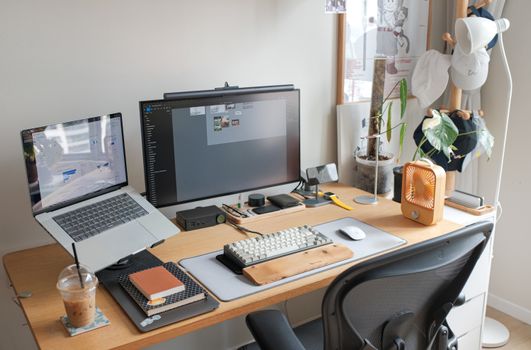
My own approach has been to treat generated images as raw material rather than finished pieces. I run them through the same processes I use for any other digital work, including pixel art techniques that pull the output back towards something more deliberate and less machine-smooth. That blend is what I show on this site, and some of it ends up listed on ArtPal and Fine Art America.
Start with one tool, one subject and one month. You will learn more from a narrow, repeated exercise than from signing up to five services and skimming the surface of each. When you do add a second tool, add it for a specific reason, such as better realism or a licence you can sell under, rather than curiosity alone.
Frequently Asked Questions
Do I need to be good at drawing before using an AI art tool?
No, but visual judgement helps more than drawing skill. You need to recognise when a composition is weak, a hand is wrong or the light makes no sense. Those instincts come from looking at a lot of art and from making your own, so keep sketching alongside the prompting rather than replacing it.
Which AI art tool should a UK beginner try first?
It depends on your goal. Stable Diffusion took the top spot in one 2025 roundup, Adobe Firefly is repeatedly named for commercial-safe images, and Canva suits social graphics. Choose the one that matches what you want to make in your first month, then confirm current pricing and licence terms on the provider’s own site.
Can I sell images made with an AI art tool?
Sometimes, and the answer depends on the tool’s licence rather than on the image alone. Firefly and Nano Banana Pro have both been singled out for commercial-safe imagery in published comparisons, but terms change. Read the current licence carefully before listing anything, and keep records of how each piece was made.
How many AI art tools should I try at once?
One. Splitting your attention across several services makes it hard to tell whether a poor result came from the tool or from your prompt. Give a single tool four weeks of regular use, then add a second only when you can name the specific thing the first one cannot do.
Will using AI stop me developing my own style?
It can, if you accept the first output every time. The default look of any generator is shared by thousands of other users. Style comes from what you do afterwards, through editing, subject choice and the deliberate mistakes you keep. Finish every generated image by hand and your voice stays in the work.